Security policies are easy when the answer is already known. A package is explicitly approved, explicitly denied, or has a known vulnerability above the organization's accepted threshold.
The harder question is what to do when a developer requests a package version that does not yet have sufficiently current assessment information.
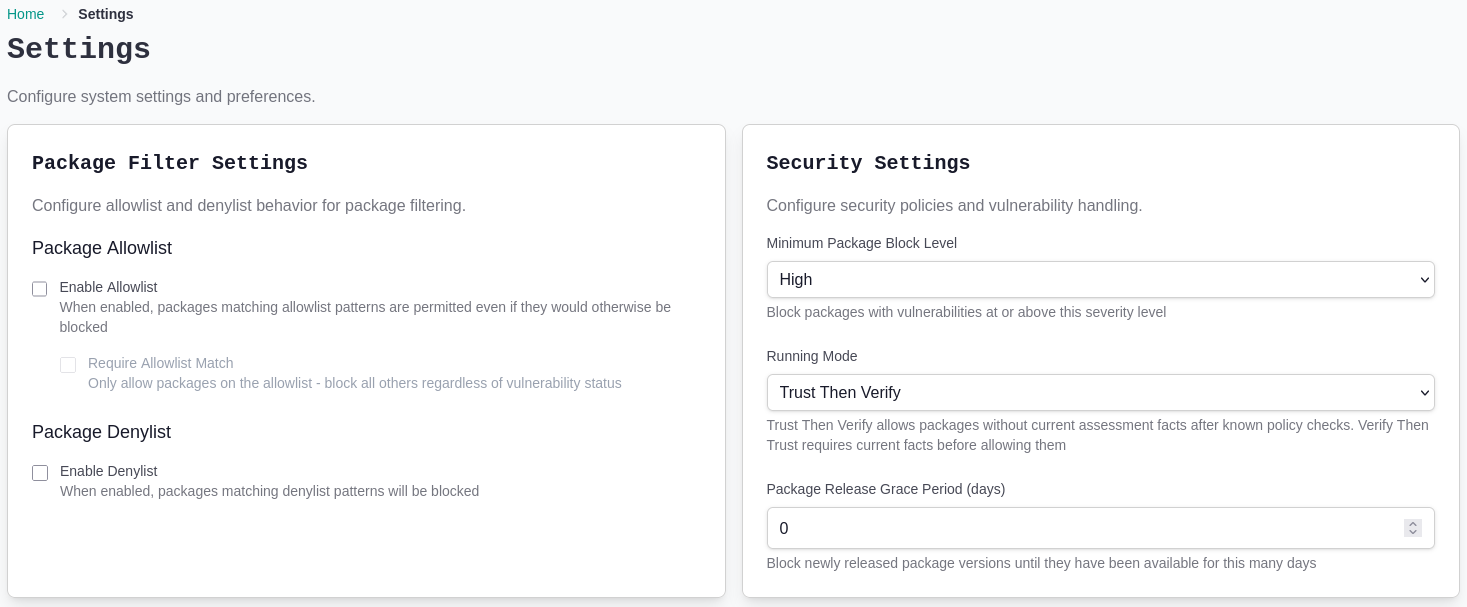
ShieldedStack gives each workspace two ways to answer that question: Trust Then Verify and Verify Then Trust. Both use the same policy controls. They differ in how they handle uncertainty.
The Short Version
Trust Then Verify allows a package when it passes explicit filters and no known facts violate policy, even if ShieldedStack does not yet have a current assessment for that exact version. Assessment continues after the request.
Verify Then Trust requires current assessment facts before an unknown or stale package version is allowed. If ShieldedStack cannot verify it, the request is blocked.
This is not a choice between having a policy and having no policy. Explicit package rules are applied first. Unless a package has been deliberately allowed as an exception, known vulnerabilities, deny rules, and release-age requirements still apply. The mode decides what happens only when the available facts are not enough to make a current decision.
| Trust Then Verify | Verify Then Trust | |
|---|---|---|
| Explicit allow rule | Allow | Allow |
| Explicit deny rule | Block | Block |
| Known policy violation without an allow override | Block | Block |
| Sufficient current facts | Apply workspace policy | Apply workspace policy |
| Facts missing or no longer current | Allow after known checks | Verify before allowing |
| Best suited to | Discovery and lower-friction adoption | Strict enforcement and higher-risk environments |
Policy Comes First
The running mode is one part of a workspace policy, not the whole policy. ShieldedStack evaluates several controls together whenever a package is requested.
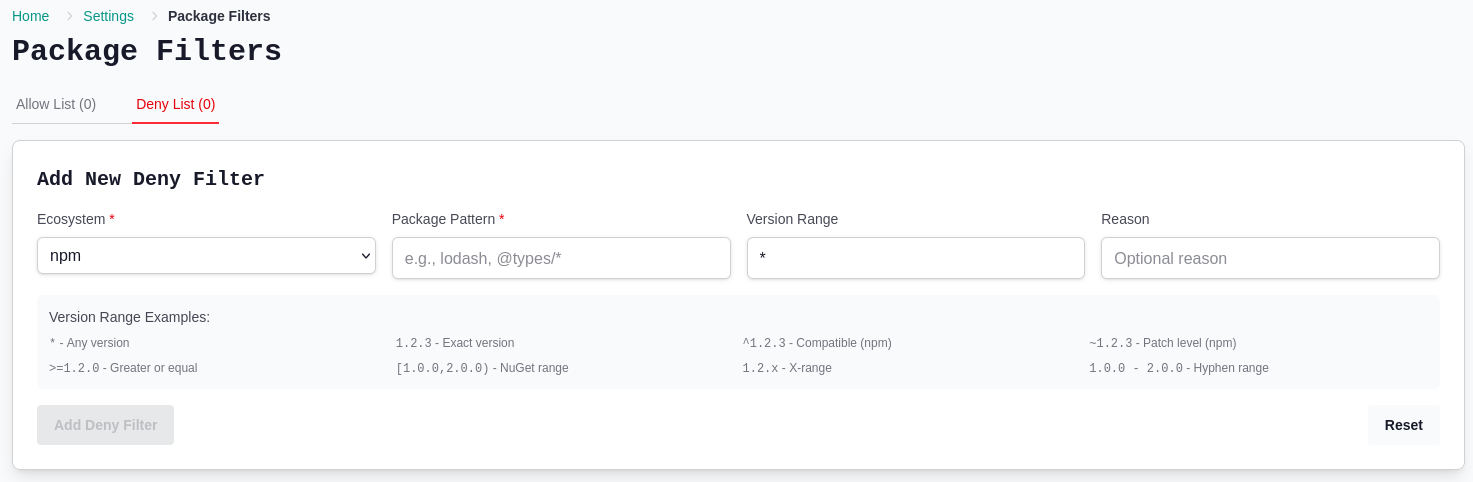
Explicit package rules
Allow and deny rules let teams make deliberate exceptions or restrictions for a package, package family, or version range.
- An allow rule can approve a package that would otherwise be blocked.
- A deny rule blocks a matching package.
- A workspace can require every package to match its allow list, creating a tightly curated package set.
These rules are useful for organization-specific decisions that public vulnerability information cannot express: an approved internal standard, a package under investigation, or a version prohibited during a migration.
Vulnerability severity
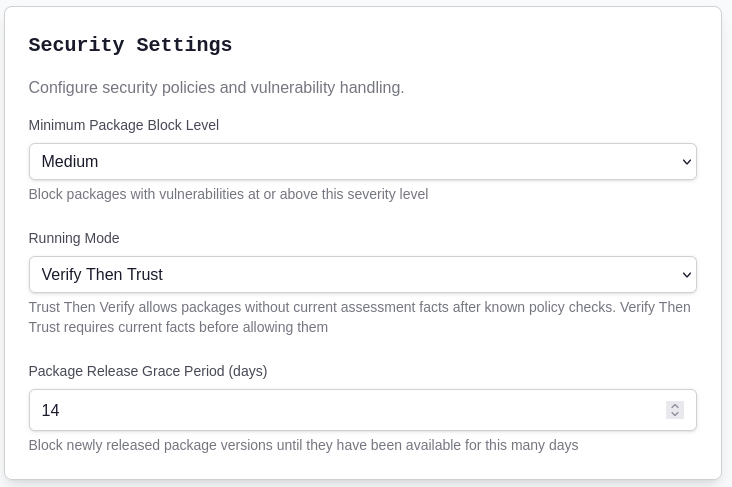
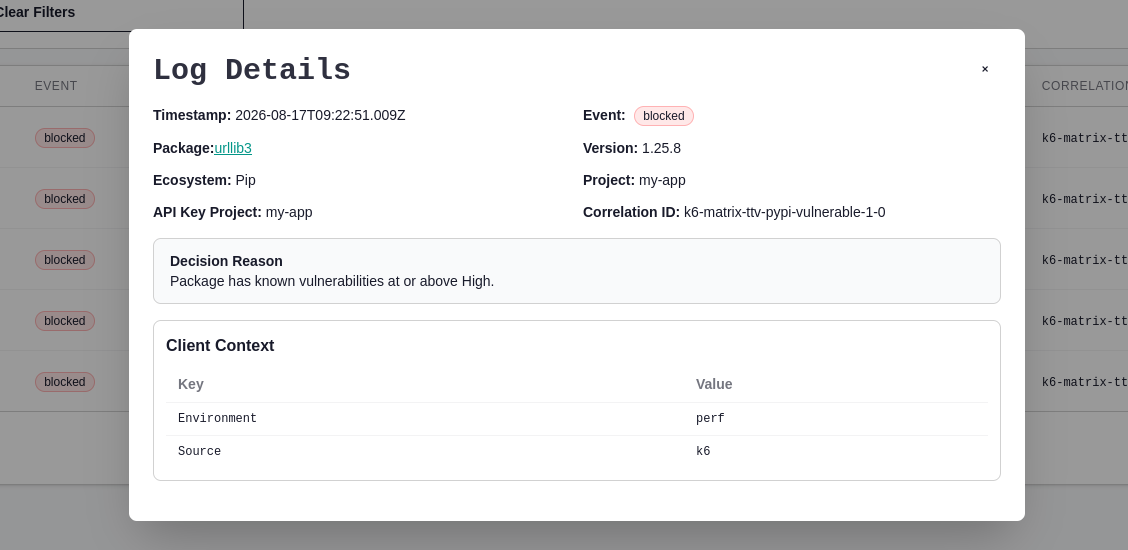
The minimum block level defines the vulnerability severity at which ShieldedStack denies a package version unless the package has an explicit allow override. A workspace can therefore reflect the risk tolerance of the environment it represents.
For example, a development workspace might block known high and critical vulnerabilities, while a more sensitive environment can choose a stricter threshold. The selected threshold applies in both running modes.
Release grace period
A newly published package version may not have a vulnerability advisory yet. That does not necessarily mean it is safe; it may simply mean the ecosystem has not had time to inspect it.
The release grace period lets a workspace block versions until they have been available for a chosen number of days. This creates a cooling-off window for newly released packages and provides protection that does not depend on an advisory already existing.
Trust Then Verify: Learn Without Losing Control
Trust Then Verify is designed for environments where adoption and visibility need to come before strict handling of every unknown package.
When current facts are available, ShieldedStack applies the workspace policy immediately. Unless explicitly allowed, known vulnerabilities above the configured threshold are blocked. Deny rules and release grace periods still apply whenever their required facts are known.
When the package is first-seen or its assessment is not current enough to decide, ShieldedStack allows the request after those known checks and processes the new activity for continued assessment and visibility.
This makes Trust Then Verify a practical starting point for rollout. Teams can observe the packages developers and build systems actually use, establish a baseline, tune explicit rules, and address existing findings without introducing unnecessary disruption on day one.
Trust Then Verify is a good fit when:
- ShieldedStack is being introduced into an existing development environment.
- The team wants to build an inventory before enforcing stricter controls.
- Continuity is more important than blocking a package solely because its current status is unknown.
- A lower-risk workspace needs policy enforcement with a permissive response to uncertainty.
Verify Then Trust: Require an Answer First
Verify Then Trust is the stricter mode. If ShieldedStack does not have sufficiently current facts for a package version, it verifies the package before allowing the request to continue.
The package is allowed only when that verification satisfies the workspace policy. Unless explicitly allowed, a known vulnerability above the configured threshold is blocked, a package inside the release grace period is blocked, and a package that cannot be verified is also blocked.
This fail-closed behavior is appropriate where an unanswered security question should stop the package from entering the environment.
Verify Then Trust is a good fit when:
- The workspace represents a sensitive or tightly governed environment.
- The organization has completed its initial package baseline and policy tuning.
- Preventing unverified package versions is more important than avoiding occasional package-request delays or denials.
- Security requirements call for fail-closed package policy enforcement when current facts are unavailable.
A Practical Rollout Path
The modes are configured per workspace, so an organization does not need to make one global trade-off for every team and environment.
A common rollout looks like this:
- Start a workspace in Trust Then Verify.
- Let normal developer and CI activity establish the package baseline.
- Review package activity, security findings, and blocked decisions in the Portal.
- Add focused allow and deny rules where organizational policy requires them.
- Set the vulnerability threshold and release grace period for the workspace.
- Move higher-risk or well-understood workspaces to Verify Then Trust.
Other workspaces can remain in Trust Then Verify when that balance is appropriate. The goal is not to switch every workspace as quickly as possible. The goal is to make uncertainty an explicit risk decision instead of an accidental one.
One Policy Model, Two Ways to Handle Uncertainty
Trust Then Verify and Verify Then Trust share the same enforcement foundation. Explicit package rules, vulnerability thresholds, and release grace periods define what the workspace accepts. The running mode defines how ShieldedStack responds when it does not yet have enough current information.
Choose Trust Then Verify when the unknown should be observed and assessed without immediately interrupting development. Choose Verify Then Trust when the unknown must be resolved before it can enter the environment.
That choice can evolve with each workspace. Teams can begin with visibility, turn what they learn into policy, and introduce stricter enforcement where the risk justifies it.