Container image policy · Beta
Apply policy before a container image is pulled
Bring container pulls under your on-premises dependency policy. Check known vulnerabilities using a trusted publisher’s signed SBOM, and approve images by platform digest rather than a moving tag.
Use a trusted publisher’s signed SBOM
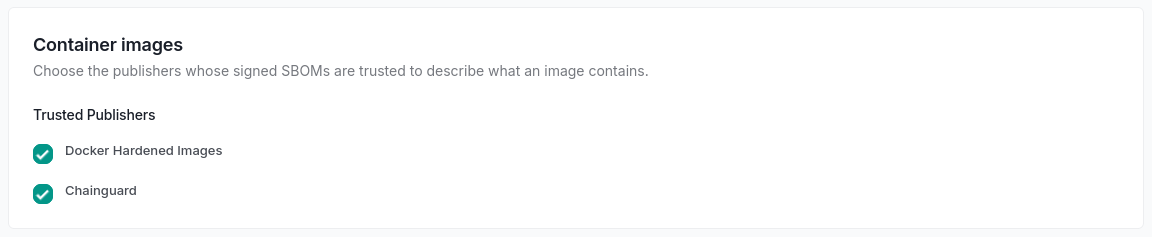
ShieldedStack’s OCI proxy evaluates known vulnerabilities in the packages listed by an image’s signed Software Bill of Materials. Docker Hardened Images and Chainguard are verified out of the box; each workspace chooses the publishers it trusts.
An image without a signed SBOM from a trusted publisher is blocked in both running modes unless an allow rule admits it. This is signed-SBOM-based assessment, not arbitrary image-layer scanning.
Approve the image, not a moving tag
Allow and deny rules use a platform manifest digest or a wildcard. Tags are not accepted as rule versions because the image they name can change.
When you enter an image index reference in the rule form, the Portal can resolve its platforms and create a rule for each selected platform digest. Require allow-list matches for container images while leaving other ecosystems under normal workspace policy.
Cover the registries your runtimes pull from
Beta support covers Docker Hub, GitHub Container Registry, Quay, Microsoft Container Registry, Chainguard, and Docker Hardened Images. Registry authentication is deployment configuration; Docker Hardened Images requires credentials.
Configure supported Docker, containerd, Kubernetes-node, Podman, or CRI-O setups to pull through the proxy. The Image Contents view lists the packages from the image’s SBOM and their known advisories.
See supported container clients →Understand the beta’s policy scope
Container images do not use package license policy, release grace periods, or remediation commands. An image index is served undecided; policy applies to platform manifests. Layer requests are tied to a manifest served to the workspace, and the approving image is evaluated again.
Use the on-premises trial to validate your publishers, runtime configuration, and required allow rules before routing production pulls.
Read container image setup and limitations →Explore related capabilities
Test it on your infrastructure
Use the 30-day on-premises trial to validate your package managers, policies, and operations. Prefer a first look? The separate 7-day hosted Portal evaluation uses synthetic package activity.