Package policy
Decide which dependencies your teams can install
Set workspace policy for package downloads. Combine explicit rules, vulnerability thresholds, license restrictions, and release age with the evidence requirements your environment needs.
One policy for each workspace
A package request carries an API key that identifies its workspace. ShieldedStack evaluates the requested package and version against that workspace’s rules before delivery. Development teams and release pipelines can use different policies while sharing the same on-premises installation.
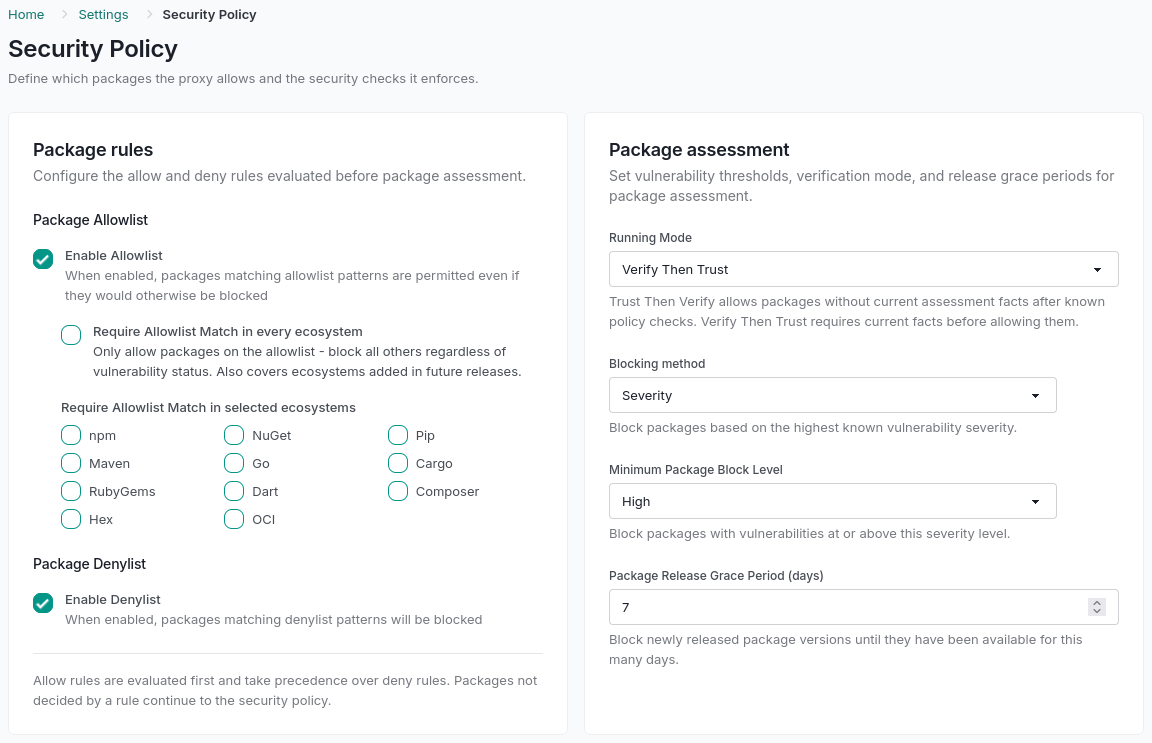
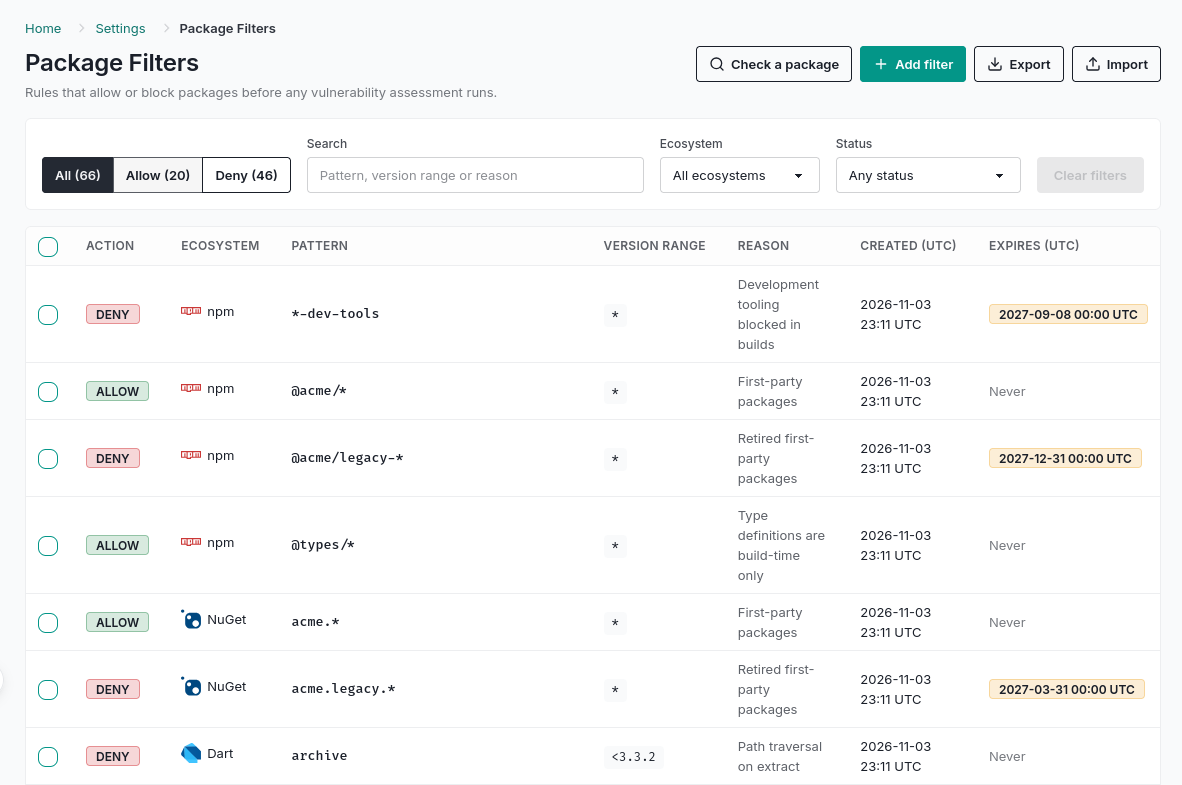
Define the controls in Security Policy and manage explicit allow and deny rules in Package Filters. The resulting request log explains the decision and identifies the rule that made it.
Understand which check wins
Package checks run in a defined order. An explicit allow is an override, so its scope matters as much as the default policy.
- Allow-list match: an enabled, applicable allow rule admits the version before later checks.
- Required membership and deny rules: block packages outside a required allow list, then block applicable deny matches.
- Vulnerability threshold: evaluate severity or CVSS, excluding advisories covered by active exceptions. Missing scores or incomplete advisory detail trigger severity fallback.
- License policy: evaluate the package’s SPDX expression against denied license identifiers.
- Release grace period: hold back a version until it reaches the minimum age you configured.
- Running mode: decide whether missing or stale evidence requires verification before admission.
Container images have an additional trusted signed-SBOM requirement after list checks, and do not use license or release-age policy. Read the container policy scope.
Choose how to handle unknown packages
Trust-Then-Verify
Admit versions that pass known checks while missing evidence is collected in the background. Known policy violations still block.
Verify-Then-Trust
Require current evidence before admission. If the required assessment cannot be obtained, the request is blocked rather than admitted on trust.
For an approved catalogue, require allow-list membership for selected ecosystems or the whole workspace. For example, restrict container images to reviewed digests while npm and NuGet continue through normal assessment.
The running mode concerns package evidence, not whether a policy must exist. If workspace policy cannot be loaded, or its last successful load is more than 15 minutes old after refresh failures, the proxy denies requests.
Make exceptions narrow and reviewable
Scope package rules by ecosystem, name pattern, and version range. Record a reason and optional expiry so a temporary allowance does not quietly become permanent. Version matching follows each ecosystem’s ordering.
A vulnerability exception accepts one advisory on an exact package version rather than bypassing every check for that package. License and release-age policy continue to apply. A later rise in advisory severity alerts again so the acceptance can be reviewed.
Check rules, promote them, and inspect the results
The read-only rule check shows which allow or deny entry matches. It checks list precedence without fetching package facts or running a full vulnerability assessment.
Export allow and deny rules as JSON and validate an import before applying it in merge or replace mode. Vulnerability exceptions stay in the workspace where they were reviewed. Follow actual requests in the logs and compare policy changes before and after.
Explore related capabilities
Test it on your infrastructure
Use the 30-day on-premises trial to validate your package managers, policies, and operations. Prefer a first look? The separate 7-day hosted Portal evaluation uses synthetic package activity.